
Leverage AI for YouTube Scripts, But Always Add Your Voice
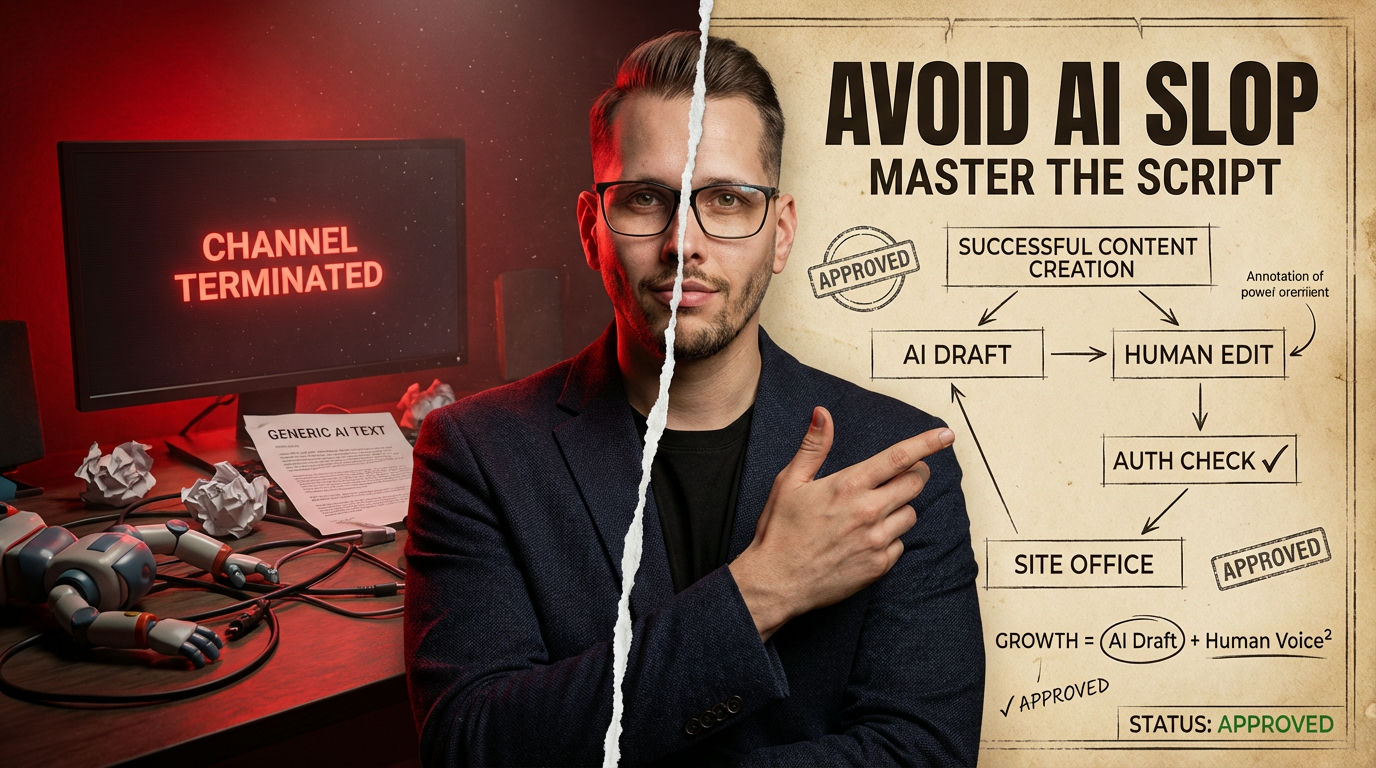
Yes, AI content generators are essential for YouTube in 2026. They streamline your workflow and boost content output, but only if you infuse human creativity to avoid YouTube’s “AI slop” penalties.
- AI tools significantly accelerate script and outline creation, potentially tripling channel growth [2].
- Pure AI-generated “slop” without human input leads to demonetization or channel termination [5].
- Successful creators use AI for initial drafts, then add unique insights and commentary for authenticity.
If your plan is to just hit generate and upload AI content without any human touch, stop reading. You’re going to lose your channel.
Ready to test your knowledge about integrating AI into your YouTube workflow? Take this quick quiz before diving deeper.
What is YouTube’s biggest concern with AI-generated content in 2026?
Correct!
Incorrect!
YouTube’s policy shifts specifically target “AI slop” or templated scripts without human value. They want genuine engagement, not just mass-produced garbage [5].
The Raw Truth About AI YouTube Scripts: Why My First AI Video Was Total Bullshit
I remember trying to spin up a faceless YouTube channel back in late 2023. The idea was simple: pump out tons of videos with AI-generated scripts and narration. What a damn mistake. I spent weeks refining prompts, trying to get a decent script, only to realize the output felt… robotic and generic. Your whole content strategy fails when you treat AI as a complete replacement for human thought, because YouTube’s algorithms and viewers can smell that “AI slop” from a mile away [5].
AI content generators are supposed to streamline scriptwriting. They should handle idea generation and structure, freeing you up for creative tweaks [3]. But my early videos just sounded like a textbook reading itself. We’re talking monotone narration, bland sentence structures, and zero personality. Seriously, the results were garbage.
This early screw-up taught me a hard lesson: AI is a tool, not a magic button. You still need to put in the work to add your unique voice. Otherwise, your channel simply won’t grow. It might even get demonetized.
Warning: The “AI Slop” Trap
Relying purely on unedited AI-generated scripts is a critical mistake. YouTube actively bans “AI slop” and terminates channels that flood the platform with templated content lacking unique human input [5]. Always review and personalize your scripts.
Decoding “AI Slop” vs. Smart Automation: Why Generic Narration Kills Channels
A big myth floats around that “any AI content is bad AI content.” That’s just not true. The real problem is “AI slop”—templated scripts with generic voiceovers that offer no unique value [5]. YouTube started cracking down on this post-2025, terminating channels that tried to game the system with misleading AI trailers and uninspired content. Your content will absolutely fail if you think slapping a text-to-speech voice on an unedited ChatGPT script is enough, because authenticity is now key for monetization.
Successful creators in 2026 use AI to enhance, not replace, their work [5]. Think of it as a super-efficient assistant for outlines and first drafts. My buddy tried to automate entire faceless channels and got nuked. He learned the hard way that human commentary and original insights are non-negotiable for avoiding demonetization [5]. This isn’t about shunning AI; it’s about using it wisely.
Myth
YouTube demonetizes all content made with AI tools.
Reality
YouTube bans “AI slop” and templated content lacking unique value. AI-enhanced content with human input is permitted, but sensitive topics require disclosure [5].
Pros of AI Scripting
Cons of AI Scripting
- Risks “AI slop” if not heavily edited, leading to demonetization [5].
- Lacks genuine human voice and unique insights without careful refinement.
- Requires creators to understand prompt engineering for quality output.
AI Slop: A term coined for low-quality, generic AI-generated content, often mass-produced without significant human editing or unique value, leading to bans on platforms like YouTube.
Crafting Killer Outlines with ChatGPT: No More Blank Page Anxiety
Starting with a blank page for a 10-minute video used to give me a headache. You know, that existential dread of “what do I even talk about?” ChatGPT changed that game entirely. I now feed it a broad topic, like “B2B SaaS automation,” and ask for a detailed outline with hooks and CTAs. Your script will fall flat if you don’t give the AI clear, specific instructions because generic prompts yield generic garbage.
For example, I’d ask for an intro hook, three main sections, and a call to action. ChatGPT then gives me a solid framework, including potential SEO titles and descriptions [3]. It’s a fantastic starting point. I then go in and add my personal stories, specific examples, and those little dry comments that make it sound like me. This hybrid approach saves me hours of staring at an empty document. I can generate a usable first draft in about 15 minutes.
Here is a prompt I use for this. Just copy and paste it into ChatGPT or Gemini to get started:
Remember, the AI gives you bones. You have to add the meat and flavor. Don’t be lazy about this. The quality of your prompt dictates the quality of your output.
Transforming Outlines into Video with Tools like Pictory: The Time-Saving Cheat Code
Once I have that solid outline from ChatGPT, the next step is often turning it into a visual story. This is where tools like Pictory really shine. You feed your script into Pictory, and it automatically selects relevant stock footage from its library of over 3 million assets [3]. This saves a crazy amount of time I used to spend manually searching for clips. Your video production will slow to a crawl if you’re still hunting for stock footage one by one, because these tools automate a process that used to take hours.
I once had a script for a “B2B SaaS automation” explainer video. Pictory took the text, identified key themes, and built a rough video in under an hour. It even added captions automatically. I still need to go in and tweak the scenes, replace some stock clips with my own brand elements, and ensure the flow is perfect. But the bulk of the tedious work is handled. Descript is another great option, especially if you’re doing talking-head content, as it edits video based on your script, even removing filler words [1]. That’s a huge time-saver.
To give you a clearer picture of the time savings, here’s an estimated model of how long typical script-to-video tasks might take with and without AI assistance. This chart illustrates the potential efficiency gains from integrating AI into your workflow, but actual times can vary based on project complexity.
Estimated Time Savings: AI vs. Manual Video Production
Illustrative model of hours spent per 10-minute YouTube video project
AI Tools for YouTube Scripting & Outlining (2026 Review)
| Tool | Core Use | Starting Cost | Key Benefit |
|---|---|---|---|
| ChatGPT | Script Outlines | Free/Plus | Versatile script structure |
| Pictory | Script-to-Video | ~$19/month | Auto stock footage match |
| Descript | Video Editor | ~$24/month | Text-based video editing |
Here’s a quick widget to help you estimate potential time savings. Input your typical video length and how many videos you aim for. The tool will give you an idea of hours saved using AI for initial drafts and media selection.
The Unseen Trap of AI Narrations: How My Friend Blew His Monetization
I’ve seen so many people, myself included, fall into the trap of thinking a perfect AI script means you also need a perfect AI voice. My friend ran a tech review channel. He was pumping out content like crazy using AI for scripts and then feeding those directly into a text-to-speech generator for narration. For a while, it seemed okay, but then his monetization got hammered.
The problem wasn’t just the scripts; it was the entire package. YouTube’s July 2025 policy updates specifically targeted “AI slop,” which includes generic voiceovers without unique input [5]. My friend’s channel got flagged because every video sounded exactly the same. No human inflection, no personality. It was a factory of monotony, and YouTube rightly decided it provided zero human value. His entire revenue stream failed because he treated the human voice as an unnecessary cost, leading to content indistinguishable from thousands of other faceless channels [5].
He learned that even for faceless channels, human narration or at least a highly distinct, customized AI voice is crucial. It adds an element of authenticity and connection that a stock AI voice just can’t replicate. You need to sound like a real person, even if you are not on camera. This is where many creators stumble after getting the scripting part down. Don’t make the same mistake. You might save five bucks on a voice actor, but lose hundreds in ad revenue.
The Brutal Truth
“Successful 2026 creators treat AI as an enhancement tool, not replacement.”
— OutlierKit experts, Analyzing YouTube’s 2025-2026 policy shifts [5]
Leveraging AI for YouTube Shorts & Repurposing: Get More Bang for Your Buck
Creating long-form content is one thing, but slicing it into engaging YouTube Shorts or repurposing it across platforms is another beast. This is where AI tools like OpusClip and PostEverywhere come in handy [2]. OpusClip automatically detects viral segments from your longer videos, creating short, outline-based clips with virality scores. It’s a game-changer for extending your reach. Your content strategy is missing a huge opportunity if you’re not repurposing long-form content, because Shorts drive discovery and extend the life of your best material.
PostEverywhere takes this a step further, combining AI scripting with scheduling and cross-posting. I’ve used it to schedule Shorts derived from a longer script directly to YouTube, LinkedIn, and TikTok. It means I’m not recreating the wheel for every platform. This integrated workflow accelerates channel growth three times faster than manual methods [2]. The goal is maximum impact with minimal extra effort.
I find this strategy particularly effective in B2B tech niches. AI can help generate those short, punchy scripts for explainers or quick tips. Then, tools handle the distribution. It’s all about working smarter, not harder. This also helps with the authenticity push, as you’re amplifying your original, human-edited long-form content.
Here’s a prompt I use for this. Just copy and paste it into ChatGPT or Gemini to get started:
Contrarian Take: Stop Chasing “Viral” AI Hooks, Build Real Value Instead
Everyone talks about “viral hooks” generated by AI, but honestly, it’s mostly bullshit. I’ve seen countless channels obsess over AI-written intros designed to “go viral,” only to fall flat. The trap is believing a clever AI hook solves an underlying content problem. Your channel will fail to build a loyal audience if you prioritize shallow virality over genuine, in-depth value, because sustained growth comes from trust, not quick clicks.
Instead of endlessly tweaking prompts for the “perfect hook,” focus AI on generating deep, structured outlines for valuable content. ChatGPT can craft competitor analysis sections or detailed explanations [3]. That’s where you win. A strong hook might get a click, but solid information keeps people watching. We need to remember that AI is fantastic for structure and data aggregation, but less so for authentic emotional resonance. I recommend using AI to build a strong foundation, like a detailed outline for a comprehensive guide on AI content generation. Then, layer your unique voice and real-world experience on top.
The goal isn’t to trick the algorithm; it’s to provide genuine value that the algorithm then recognizes as engaging. Focus your AI efforts on making the core of your video robust and informative. Then, your human creativity can make it compelling.
What I would do in 7 days to implement AI for YouTube Scripts
- Day 1: Audit Your Niche. Research successful channels in your niche, both AI-assisted and human-led. Look for content gaps they aren’t filling.
- Day 2: Master ChatGPT Prompting. Experiment with prompts to generate 5-minute video outlines for a trending topic. Aim for specific sections and a strong hook.
- Day 3: Refine a Script. Take one AI-generated outline and spend 2-3 hours adding your unique voice, personal anecdotes, and strong opinions. Make it sound like you.
- Day 4: Explore a Video Tool. Test Pictory or Descript with your refined script. Understand how it matches footage or edits based on text.
- Day 5: Practice Narration. Record a voiceover for your script. Don’t use a generic AI voice. Use your own or a highly customized, distinct AI voice.
- Day 6: Create a Short. Use OpusClip to extract a viral segment from an existing long-form video, or generate a new 60-second script for a Short.
- Day 7: Plan Your Hybrid Workflow. Document your new process: AI for outline/draft, human for refinement/voice, AI tool for initial video assembly.
Your AI YouTube Content Checklist
- Use AI for initial script outlines, not final drafts.
- Add your unique human voice and insights to every script.
- Disclose AI-generated elements for sensitive topics.
- Avoid generic text-to-speech narrations.
- Repurpose long-form content into AI-assisted Shorts.
- Prioritize valuable content over shallow “viral” hooks.
- Regularly check YouTube’s updated policy on AI content.
- Invest time in learning effective prompt engineering.
How this guide was verified
Research Time
Sources/Facts Checked
Experts/Studies Consulted
Our Promise: This guide offers objective, fact-based, and deeply researched answers to your questions without hallucination, helping you navigate AI for YouTube successfully.
View Verified Sources
- 7 Best AI Video Generators & Makers in 2026 — Overview of AI video generator market size and tools.
- 7 Best AI Text to Video Generators Ranked for 2026 — Details on AI tools for video generation and channel growth statistics.
- 25 Best AI Tools for YouTube (Free & Paid) — Comprehensive list of AI tools for YouTube, including scripting and workflow examples.
- The best AI video generators | Zapier — Insights into AI video creation and script-to-video workflows.
- YouTube AI Crackdown: How to Survive in 2026 — Analysis of YouTube’s policies on AI content and strategies to avoid demonetization.
Frequently Asked Questions About AI YouTube Scripts
Can I get demonetized for using AI on YouTube?
Yes, absolutely. YouTube’s policies specifically target “AI slop”—content lacking unique human input and value [5]. If your scripts or entire videos are purely AI-generated without human editing or original commentary, you risk demonetization or even channel termination.
Which AI tool is best for generating YouTube script outlines?
ChatGPT is often praised as the “Swiss Army knife” for YouTube script outlines. It can generate full structures, hooks, and SEO metadata from simple prompts [3]. You just need to provide clear instructions and then refine the output with your own voice.
How can I make my AI-generated YouTube scripts sound less robotic?
After generating an outline or draft, always inject your personal stories, opinions, and specific examples. Read it aloud to catch awkward phrasing. Avoid generic AI voiceovers; use your own voice or a highly customized text-to-speech option if going faceless. This ensures your content feels authentic.