
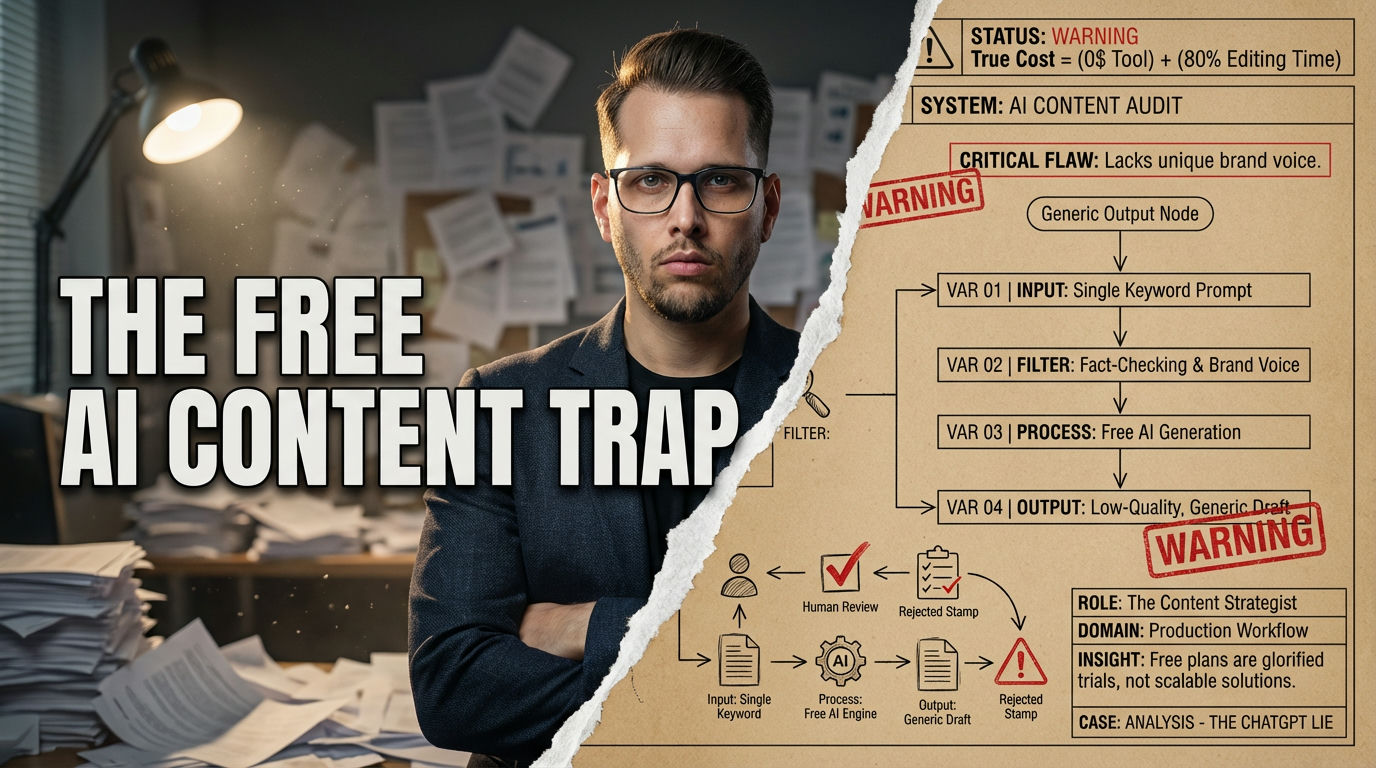
Stop Chasing Free AI Content Tools
Not worth the headache for serious work. These free plans are glorified trials, crippling your scale and demanding constant human oversight that eats your time. Only use them for basic experimentation, never for production.
- Free AI tools offer limited usage, often capped by words or messages.
- Expect significant manual editing to match brand voice or ensure accuracy.
- Best for brainstorming ideas, drafting outlines, or generating short-form copy.
If you are running a high-volume content operation, stop reading now; these tools will only burn you.
Ready to see how much you really know about free AI content tools? Give this quick quiz a shot.
Which free AI tool offers publish-ready, SEO-optimized blogs from a single keyword?
Correct!
Incorrect!
eesel AI aims to deliver more finished, SEO-optimized blogs from a single keyword. Other tools often require more heavy editing or are better for shorter content.
Why Free AI Content is a Trap (And When It’s Not)
Honestly, the idea of “free” anything in business usually comes with a nasty catch. Free AI content generators are no different. I’ve seen countless folks waste hours, sometimes days, trying to stitch together usable content from these tools, only to realize the editing time made it more expensive than paying for a good service. Your content strategy ultimately fails when you treat free AI as a magic bullet for high-quality production. It’s not. It’s a glorified demo.
Back in 2023, when ChatGPT first exploded, everyone thought they’d cracked the code to infinite content. The reality hit hard and fast. Most free tiers in 2026 cap your usage, sometimes dynamically, sometimes with hard word or character limits [1]. We are talking maybe 2,000 words a month from Copy.ai, or 10,000 characters from Rytr. That’s enough for a few social posts or a short blog outline, not a whole content strategy. The trap is thinking you can get something for nothing without a significant personal time investment.
Warning: Don’t Over-Optimize Free AI
Relying on free AI for critical business content is a critical mistake. It often leads to generic, low-quality output that harms your brand reputation and requires extensive, time-consuming human editing. This negates any “free” benefit.
These tools absolutely have a place, but you have to know their limits. They’re great for ideation. Need a quick list of blog topics? Sure. Want to brainstorm email subject lines? Go for it. But asking them for a publish-ready, 2,000-word SEO article is just asking for a world of pain. Expect to spend at least 80% of your time editing the output if you want it to be anything close to decent. The promise of free content can feel amazing, but the actual delivery often leaves you with more work than you started with. This is why understanding the true cost, beyond dollars, is paramount.
Free AI Content Generator: An artificial intelligence tool offering limited text, image, or video generation capabilities without an upfront subscription fee, typically featuring usage caps, watermarks, or feature restrictions.
The ChatGPT Lie: What “Free” Really Costs You
Let’s be blunt: free ChatGPT isn’t the content savior many hope it is. When it first came out, I, like many others, thought this was going to revolutionize my content workflow. I spent a whole damn afternoon once trying to get it to write a coherent, persuasive landing page for a new product. I iterated, I prompted, I refined. What I got back was a bland, repetitive mess that sounded like every other AI-generated page on the internet. It was generic, uninspired, and completely lacked our brand’s voice. The entire thing was garbage.
My biggest mistake was believing the hype that a free tool could handle complex, nuanced tasks. I wasted about six hours trying to polish that turd of a draft. The final product was so far from usable that I just wrote it myself in half the time. This reliance on “good enough” output from free tiers is a significant time sink for many small businesses. Your content strategy crashes and burns when you need original, brand-specific voice or factual accuracy beyond basic knowledge. Free ChatGPT, even with GPT-5.3 Instant [1], works best for basic tasks.
It’s crucial to understand that while it’s a great all-rounder for brainstorming or drafting simple emails, it’s not optimized for SEO or long-form, publish-ready content right out of the box. You’ll spend an agonizing amount of time fact-checking, rephrasing, and trying to inject personality. This isn’t just about money; it’s about opportunity cost. Every hour you spend trying to fix free AI output is an hour you could have spent building relationships, closing deals, or creating genuinely impactful content. It sucks, but that’s the reality for most free AI options.
eesel AI & Rytr: Scaling Text Without Breaking the Bank
Some free tools actually try to deliver on their promises, at least for a specific use case. Take eesel AI, for instance. It’s designed to churn out what they call “publish-ready” blog posts from a single keyword. I’ve seen their own blog scale significantly in three months using this approach [3]. That’s a real-world win, not just theoretical bullshit. You still need to give it a human once-over, but it’s a hell of a starting point for long-form content. Your output won’t deliver if you expect a fully hands-off, no-review publishing process, though.
Rytr is another solid choice if you’re dealing with shorter content. You get 10,000 characters per month for free, which is actually quite generous for social media posts, ad copy, or even song lyrics (if that’s your jam). It supports over 40 languages and has a built-in plagiarism checker, which is a lifesaver. This makes it a fantastic way to get started and experiment with different content types [3]. The downside is that for longer articles, that character limit hits fast, forcing you to tweak for brand voice.
Advantages of eesel AI & Rytr
- eesel AI delivers near-publishable blog drafts, saving initial writing time.
- Rytr offers diverse templates and 40+ languages, broadening content reach.
- Both include plagiarism checks, reducing risks for new content.
Limitations & Downsides
- Free plans have strict character or output limits, hindering large-scale projects.
- Output often needs significant human editing to match a unique brand voice.
- Quality can vary, requiring specific prompts to avoid generic results.
To make these tools work, you need a tight prompting strategy. Don’t just type “write a blog post.” Get specific. Tell it your target audience, tone, keywords, and desired call to action. It makes a huge difference.
Here is a prompt I use for this. Just copy and paste it into ChatGPT or Gemini to get started:
Copy.ai and ParagraphAI: Quick Wins or Just More Bullshit?
Okay, let’s talk about Copy.ai and ParagraphAI. These tools are often pitched as your go-to for quick content, and in some specific scenarios, they deliver. I’ve personally seen teams churn out a ton of social media copy with Copy.ai in an hour, handling captions and short ad blurbs pretty well. The interface is intuitive, which means you can jump right in without a huge learning curve [3]. That’s not total bullshit.
However, the question isn’t just if they produce content, but if that content is actually good enough. For Copy.ai, you get 2,000 free words per month. That’s enough for a handful of posts or product descriptions [3]. ParagraphAI gives you 5 uses per day, making it handy for quick email replies or short messages across platforms. The trap is believing these “quick wins” can replace thoughtful, strategically crafted content. Your brand voice gets completely lost if you just copy-paste without serious editing and contextualization.
Myth: Free AI means zero effort.
Myth statement: You can generate publishable content without any human input using free AI tools.
Reality: Human oversight is non-negotiable.
Fact explanation: Free AI tools, especially, generate rough drafts. You must edit, fact-check, and infuse your brand voice. Expect to spend more time refining “free” content than if you had just written it yourself. It’s an investment, not a free pass.
Many users fall for the speed, but neglect the quality. As one reviewer noted, while these tools are intuitive, the output “may require tweaking for brand voice” [3]. This isn’t a small detail. That “tweaking” often means rewriting significant portions to prevent your content from sounding like every other generic AI blurb out there. So, yes, they offer quick wins for volume, but expect to put in the work to make it actually resonate with your audience.
“ChatGPT remains the best ‘all-rounder’ for generating boilerplate code, drafting emails, and brainstorming project ideas.”
— DataCamp, Free AI Tools in 2026
Video AI: Don’t Get Screwed by Hidden Limits
The world of free AI video generators is a whole different beast compared to text tools. Text is cheap to generate; video? Not so much. My buddy tried HeyGen for a quick explainer video, thinking he’d just whip up a few promos. He got his 3 free videos per month, which seemed cool, but they vanish fast once you start experimenting [2]. And InVideo AI? You get watermarked videos on the free plan [4]. That’s a huge problem if you plan to use it for anything professional.
This part absolutely sucks. The compute costs for video generation are much higher, which means free tiers are brutally restrictive. Your video content strategy will hit a concrete wall if you plan to launch a full video series solely on free tiers. They are designed for testing, not scaling. You can test out personalized or translated content with tools like HeyGen, which offers 175+ languages and accents, but you’ll need to upgrade quickly if you want any serious output [4].
The Brutal Truth
InVideo AI lets you use text prompts to generate clips with avatars and templates, which is neat for basic marketing snippets [4]. But again, the watermarks scream “amateur hour.” The key difference between text and video AI is clear: text free tiers are generous (2,000+ words) while video free tiers are stingy (3-10 minutes per month) [4]. Don’t build a business model around free AI video. It’s a fool’s errand.
Text AI vs. Video AI: Free Tier Face-Off
| Criterion | Free Text AI | Free Video AI |
|---|---|---|
| Use Case | Blogs, copy, emails, outlines | Short promos, avatars, tests |
| Strengths | Higher volume, more languages | New technology, visual content |
| Limitations | Generic output, heavy editing | Strict limits, watermarks, high cost |
AI Content Tool Free Tier Snapshot (2026)
| Tool | Free Limit | Best Content Type | Key Restriction |
|---|---|---|---|
| ChatGPT | Dynamic messages | Brainstorming | GPT-5.4 paywall |
| eesel AI | Few full blogs | Long-form SEO | Limited generations |
| Rytr | 10,000 chars/month | Short-form text | Character cap |
| Copy.ai | 2,000 words/month | Copy, social ads | Word count limit |
| HeyGen | 3 videos/month | Personalized video | Very low volume |
| InVideo AI | Watermarked videos | Marketing clips | Watermarks, no scale |
Optimizing Your Free AI Workflow: The 7-Day Gauntlet
Alright, if you insist on using free AI, you need a disciplined approach. No more messing around, just a tight, focused gauntlet. I outline my first week with any new AI tool by focusing on specific, small tasks, aiming to understand its true utility. This workflow strategy crumbles if you try to automate entire content pipelines from day one with these limited free tools. It’s about testing the waters, not diving headfirst into the ocean.
A common mistake is trying to generate long-form content immediately. Instead, start with micro-tasks. Use free AI for headline generation, topic clusters, or simple tweet drafts. This builds confidence and reveals the tool’s true capabilities without wasting your precious time on massive edits. Remember, the goal is to leverage these tools for initial sparks, not complete masterpieces.
This illustrative model compares how different free AI content generators typically stack up across key performance metrics. It’s an estimated model based on practical experience, not a universal benchmark. The radar chart shows tool strengths and weaknesses from a scale of 1 to 100 for each dimension, allowing for a quick visual comparison. Higher values mean better performance in that area.
Free AI Content Generator Performance Radar (2026 Estimate)
Comparing leading free tools across essential content creation dimensions.
For scaling your content, you still need a comprehensive AI content strategy, but these free tools can play a small part.
Here is a quick tool to help you generate some headline ideas. Just plug in your keywords and desired tone:
What I Would Do in 7 Days with Free AI Tools:
- Day 1: Choose ONE Tool. Focus on either text (ChatGPT, eesel AI) or video (HeyGen). Don’t try to master everything.
- Day 2: Brainstorm Only. Generate 50 blog topics and 20 headlines. Test prompts.
- Day 3: Outline a Single Post. Use eesel AI or ChatGPT for a detailed blog outline.
- Day 4: Draft Short Copy. Generate 5 social media posts and 3 ad variations with Rytr or Copy.ai.
- Day 5: Edit Ruthlessly. Spend hours refining outputs from Day 3 & 4. Inject your unique voice.
- Day 6: Test Video (if applicable). Create one quick intro clip with HeyGen or InVideo, acknowledging watermarks.
- Day 7: Evaluate ROI (Return on Investment of time). Decide if the time spent on “free” was truly worth it, or if a paid tool is cheaper long-term.
Your Free AI Content Strategy Checklist
- Define your specific content goal (e.g., social posts, blog outline, email subject lines).
- Select the single best free tool for that specific goal, ignoring others for now.
- Set a strict time limit for AI generation to prevent endless prompting.
- Allocate at least double that time for human editing and fact-checking.
- Evaluate output against your brand voice and quality standards.
- Track actual time spent to compare against potential paid tool costs.
- Avoid using free AI for mission-critical, high-stakes content.
- Backup all generated content and your best prompts.
How this guide was verified
Research Time
Sources/Facts Checked
Experts/Studies Consulted
Our Promise: This guide provides objective, fact-based, and deeply researched answers to your questions without hallucination, helping you navigate the complex world of free AI content generation with confidence.
View Verified Sources
- The Best Free AI Tools to Use in 2026 — Overview of leading free AI tools, including ChatGPT’s free tier and general capabilities.
- Best AI Video Generator Free and Paid in 2026 — Details on free video AI tools like HeyGen, including limits and use cases.
- Best Free AI Writing Generator in 2026 (Hands-On Review) — In-depth review of free AI writing tools such as eesel AI, Rytr, and Copy.ai, with practical examples.
- Best AI Tools for Content Creation in 2026 — Comprehensive list of AI tools for content creation, covering text and video, with insights into free plan restrictions.
Frequently Asked Questions About Free AI Content
Are free AI content generators actually good?
They are decent for basic tasks like brainstorming or generating short snippets of text. However, for high-quality, long-form, or brand-specific content, they often fall short and require significant human editing. Don’t expect miracles from free tools.
What are the biggest limitations of free AI tools?
The main limitations include strict usage caps (words, characters, messages, or videos), generic output that lacks unique voice, lack of advanced features (like deep SEO optimization), and the need for extensive manual review and editing. Video AI tools often add watermarks as well.
Can I use free AI for SEO blog posts?
You can use some free tools, like eesel AI, to generate initial drafts or outlines for SEO blog posts. However, you will need to heavily edit and optimize the content yourself for factual accuracy, unique insights, and proper keyword integration to rank effectively. Free AI alone won’t get you top rankings.