

Don’t Chase the 1,000-Description Dream
This is not worth it. Trying to generate 1,000 unique product descriptions in one day with AI is a recipe for disaster and low-quality output. The sheer volume overwhelms quality control, leading to generic or inaccurate content.
- AI excels at drafting, not autonomous mass production.
- Quality control becomes a massive bottleneck at scale.
- Best for high-volume, low-stakes products with strong data.
If your product data is messy, or you lack a clear brand voice, stop reading now. This process will only amplify your existing problems.
The AI Promise vs. Reality: Why 1,000 in a day is mostly bullshit
Everyone sees those headlines. ‘AI writes 1,000 articles in an hour!’ Or ‘Generate a thousand descriptions instantly!’ Honestly, it’s mostly bullshit marketing hype. I’ve seen countless e-commerce operators try this. They dump a CSV into some tool, hit ‘go’, and expect magic. What they get back is usually generic crap, full of repetition or outright inaccuracies. Your output fails when you prioritize sheer quantity over foundational quality.
The trap is simple: AI is a language model. It predicts words. It doesn’t ‘understand’ your product in the way a human copywriter does. If you feed it vague product names and minimal features, it’ll invent details or spit out bland, interchangeable text. You end up with a thousand descriptions, sure. But 90% of them are unusable. That’s a hell of a lot of wasted time and effort, not to mention the potential damage to your brand reputation.
Think about it. Even a seasoned human copywriter couldn’t write 1,000 *good* unique descriptions in a single day. They’d burn out. AI doesn’t burn out, but its quality degrades rapidly without proper guidance and oversight. The real work isn’t generating the words; it’s setting up the system and then meticulously reviewing the output. That’s where most people fail.
The ‘Garbage In, Garbage Out’ Trap: Your data setup is everything
This is where the rubber meets the road. I once worked with a client who had product data spread across three different spreadsheets. Product names, SKUs, a few bullet points, and maybe a vague category. They wanted 500 descriptions. Total crap. We spent a week just cleaning and structuring their data. Your entire AI generation effort will fall apart if your input data is inconsistent or incomplete.
AI models are only as good as the information you provide. For product descriptions, this means having structured, clean, and comprehensive data for each item. This includes features, benefits, target audience, unique selling propositions, and even tone guidelines. Without this, the AI has nothing solid to build on. It’s like asking a chef to cook a gourmet meal with only salt and pepper.
Here’s what good product data looks like:
- Product Name: ‘Ergonomic Office Chair Pro’
- SKU: ‘OC-E-P-BLK-2026’
- Category: ‘Office Furniture > Seating’
- Key Features: ‘Adjustable lumbar support’, ‘Breathable mesh back’, ‘3D armrests’, ‘Smooth-rolling casters’, ‘Weight capacity 300 lbs’
- Key Benefits: ‘Reduces back strain’, ‘Enhances comfort during long hours’, ‘Customizable fit’, ‘Protects floors’, ‘Durable for daily use’
- Target Audience: ‘Remote workers’, ‘Gamers’, ‘Small business owners’
- Tone: ‘Professional, slightly informal, benefit-driven’
- Keywords: ‘Ergonomic chair’, ‘office chair’, ‘lumbar support’, ‘desk chair’
Without this level of detail, you’re just hoping for the best. And hope, my friend, is not a strategy.
Pros of AI for Descriptions
- Speeds up drafting: Generates initial text much faster than humans.
- Reduces writer’s block: Provides a starting point, even if imperfect.
- Ensures consistency: Can maintain a specific tone or style across many products.
Cons of AI for Descriptions
- Requires heavy editing: Raw output often needs significant human refinement.
- Lacks true creativity: Struggles with unique angles or emotional resonance.
- Needs clean data: Garbage in, garbage out is a constant risk.
Prompt Engineering isn’t Magic: It’s about structured data and iteration
Many people think ‘prompt engineering’ means finding some secret phrase that unlocks perfect AI output. That’s a damn myth. It’s not about magic words. It’s about breaking down your request into clear, actionable steps for the AI. Your prompts fail when they are too vague or try to do too much in one go.
I’ve seen prompts that are literally one sentence: ‘Write a description for a blue shirt.’ What do you expect? You’ll get something generic about a blue shirt. To get good descriptions, you need to feed the AI specific instructions, constraints, and examples. This is where your structured product data comes in handy. You’re essentially teaching the AI how to think about your products.
Here is a prompt I use for this. Just copy and paste it into ChatGPT or Gemini to get started:
Here is the product data:
Product Name: [INSERT PRODUCT NAME]
SKU: [INSERT SKU]
Category: [INSERT CATEGORY]
Key Features: [LIST FEATURES, comma-separated]
Key Benefits: [LIST BENEFITS, comma-separated]
Target Audience: [DESCRIBE AUDIENCE]
Tone: [E.g., ‘Informative, enthusiastic, slightly adventurous’]
Keywords: [LIST KEYWORDS, comma-separated]
Write a product description that is 150-200 words long. Start with a strong hook. Incorporate at least 3 keywords naturally. Emphasize benefits over features. Include a call to action at the end. Use single quotes for any internal quotes or emphasis.’
After you get the first draft, you iterate. You tell the AI: ‘Make it shorter.’ Or ‘Add more about the eco-friendly materials.’ This back-and-forth is crucial. It’s not a one-shot deal. Expect to refine your prompts and the AI’s output several times to hit your stride. This process takes time, which directly cuts into your ‘1,000 in a day’ fantasy.
Scaling the Output: Batching and API integrations (or lack thereof)
Okay, so you’ve got a killer prompt and clean data. How do you actually scale this? Trying to copy-paste 1,000 descriptions one by one is a damn nightmare. Most people hit this wall and give up. Scaling fails when you rely on manual processes for high-volume tasks.
The real play here is to use an AI model’s API. This lets you programmatically send your structured product data and receive descriptions back. You’d typically use a spreadsheet (like Google Sheets) or a database. Each row is a product. You’d have columns for all your data points, and then a column for the AI-generated description. Tools like Zapier or custom scripts can bridge the gap between your data and the AI API.
I once set up a system for a client selling unique artisan goods. We had about 300 products. We used a Google Sheet, a custom Python script, and the OpenAI API. It took us two days to build and test the script. Then, generating the first drafts for all 300 products took about an hour. But then came the editing. That’s the part everyone forgets. Even with a good setup, you’re not just printing money.
Warning: API Rate Limits
Hitting API rate limits is a critical mistake to avoid. Most AI providers have limits on how many requests you can make per minute or per day. If you try to send 1,000 requests too quickly, your script will fail, and you’ll waste time debugging.
Plan your batches. Start small, maybe 50-100 descriptions at a time. Review them. Adjust your prompt. Then scale up. This iterative approach is far more effective than trying to blast through everything at once. Otherwise, you’ll just end up with a pile of errors and a headache.
Quality Control is a Bitch: You still need human eyes
This is the rhythm breaker section. No bullets here, just a story. I remember a few years back, we were pushing hard to get a new line of outdoor gear launched. We had about 800 products. My team leader, bless his heart, decided we’d use a new AI tool to speed up descriptions. ‘It’ll save us weeks!’ he declared. I was skeptical, but hey, new tech, right? We fed it all our data, ran the script, and got back 800 descriptions in a few hours. Everyone was high-fiving.
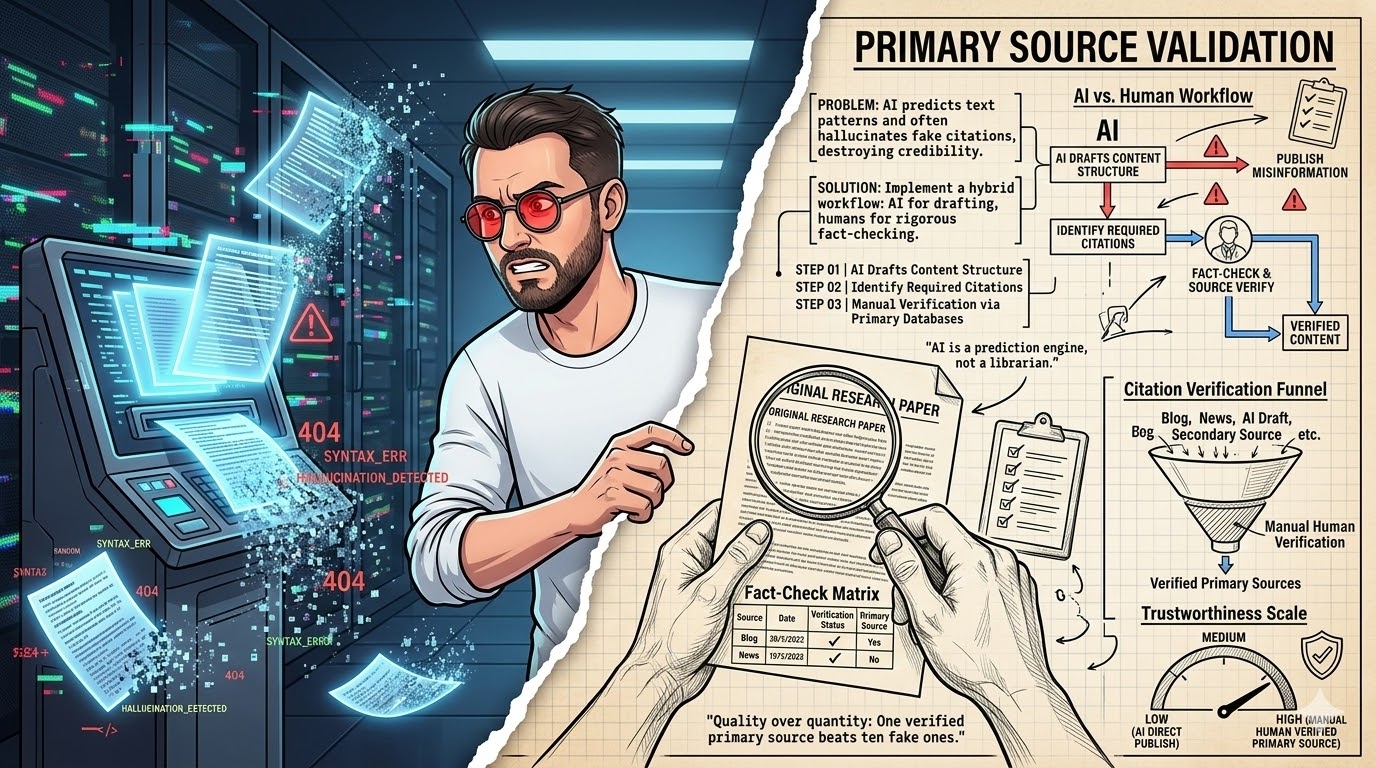
Then came the review. Oh, man. The first 50 looked okay, a bit generic, but fixable. The next 100 started getting weird. One description for a waterproof jacket talked about ‘its delicious aroma’ and ‘perfect for a quick snack.’ Another for hiking boots mentioned ‘built-in cup holders.’ It was a mess. The AI had hallucinated details, mixed up product attributes, and completely missed the brand’s adventurous tone. We had to manually read through every single one. It took three people two full days. We ended up rewriting about 60% of them from scratch. That ‘saved week’ turned into a week and a half of pure frustration. The lesson? You cannot skip human review. Your entire project will crash and burn if you trust AI blindly for final copy.
It’s not just about accuracy. It’s about brand voice, nuance, and emotional connection. AI struggles with these subtle elements. A human can spot a bland phrase or an awkward sentence structure instantly. An AI will just keep generating. This is why the ‘1,000 descriptions in a day’ goal is so damn misleading. It ignores the most time-consuming, yet critical, part of the process: ensuring quality. Don’t fall for that trap.
The Hidden Costs: Time, tools, and training
People often look at AI tools and just see the subscription fee. ‘Oh, $50 a month, that’s cheap!’ They forget the other costs. I’m talking about the actual time you or your team spends. This includes data preparation, prompt engineering, API integration, and especially, quality control. Your budget for AI descriptions will blow up if you only account for software licenses.
Let’s break down some of these hidden costs:
- Data Cleaning & Structuring: This is often the biggest time sink. Expect to spend days, not hours, getting your product data into a usable format.
- Learning Curve: Understanding how to effectively prompt AI, set up API calls, or use specific AI tools takes time. There’s a learning investment.
- Tool Subscriptions: Beyond the AI model itself (OpenAI, Gemini, Claude), you might need tools for data management, automation (Zapier), or specialized AI copywriting platforms.
- Human Editor Time: This is non-negotiable. Budget for at least 10-20 minutes of human review and editing per 10 descriptions, depending on complexity.
- Testing & Iteration: You won’t get it right on the first try. Testing different prompts and refining the output is an ongoing cost.
When I calculate ROI for clients, I always factor in these ‘soft costs.’ They add up quickly. A ‘free’ AI tool isn’t free if it costs you 40 hours of your team’s time to get decent output. Be realistic about the total investment. Otherwise, you’re just setting yourself up for disappointment.
Hallucination: When an AI model generates information that is factually incorrect, nonsensical, or not present in its training data. This is a common risk in AI-generated content.
Beyond Basic Descriptions: Adding SEO and conversion hooks
A basic product description tells you what an item is. A good one sells it. It also helps people find it. Many AI-generated descriptions are just functional. They list features. But they often miss the mark on SEO and conversion. Your descriptions will underperform if you don’t explicitly guide the AI on these critical elements.
To make your AI descriptions work harder, you need to bake in specific instructions for SEO and conversion. This means telling the AI to:
- Incorporate target keywords: Don’t just list them; instruct the AI to use them naturally within the text.
- Focus on benefits: Translate features into ‘what’s in it for the customer.’ (e.g., ‘3D armrests’ become ‘reduce shoulder fatigue’).
- Create urgency or scarcity: ‘Limited stock’ or ‘Shop now before it’s gone.’
- Include a clear call to action (CTA): ‘Add to cart,’ ‘Learn more,’ ‘Discover your perfect fit.’
- Answer common questions: Address potential customer objections directly in the copy.
I’ve found that giving the AI a specific persona for the target customer helps immensely. For example, ‘Write this for a busy parent looking for durable, easy-to-clean kids’ clothes.’ This context helps the AI tailor the language and focus. Without these explicit instructions, you’re leaving money on the table. It’s not enough to just generate text; you need to generate *effective* text.
The Template Myth: Why generic prompts screw you over
Myth
‘One perfect prompt template works for all my products.’
Reality
A single generic prompt leads to bland, repetitive, and often inaccurate descriptions across diverse product lines. You need tailored prompts for different categories or product types to capture nuance and specific selling points.
This is a common misconception. People grab a generic ‘write product description’ prompt online and expect it to magically adapt to everything from socks to high-end electronics. That’s a damn fantasy. Your descriptions will sound identical and boring if you rely on a one-size-fits-all prompt.
Think about it. A description for a luxury watch needs a completely different tone and focus than one for a budget-friendly kitchen gadget. The keywords are different. The target audience is different. The benefits are different. If you use the same prompt for both, the AI will either average them out into something useless or struggle to hit the right notes for either. This is where prompt segmentation becomes crucial.
I recommend creating distinct prompt templates for your major product categories. For example:
- Electronics Prompt: Emphasizes specs, performance, innovation, and compatibility.
- Apparel Prompt: Focuses on style, comfort, material, fit, and occasion.
- Home Goods Prompt: Highlights aesthetics, functionality, durability, and ease of use.
Each template should guide the AI on the specific attributes and selling points relevant to that category. This takes more upfront work, sure. But it pays off in significantly higher quality and more relevant descriptions. Don’t be lazy here; it’ll screw you in the long run.
Building a ‘Description Factory’: The actual workflow
So, you’ve decided the ‘1,000 in a day’ thing is garbage, but you still want to scale. Good. The actual workflow for generating a large volume of *good* descriptions is more like a factory assembly line, not a magic button. It’s about breaking down the process into manageable, repeatable steps. This system fails when you try to skip steps or rush the quality checks.
Here’s a simplified, but effective, workflow I’ve used:
- Data Aggregation & Cleaning: Gather all product data. Standardize fields. Remove duplicates. Fill in missing information. This is non-negotiable.
- Prompt Template Creation: Develop 2-5 distinct prompt templates based on your main product categories. Test each with 5-10 sample products.
- Batch Generation (API): Use an API to generate descriptions in batches (e.g., 100-200 at a time). Store them in a new column in your master spreadsheet.
- First-Pass Human Review: A quick read-through of each batch. Look for obvious hallucinations, tone issues, or glaring errors. Flag descriptions for deeper editing.
- Deep Editing & Optimization: Assign flagged descriptions to human copywriters for refinement. They’ll polish the language, enhance SEO, and add brand voice.
- Final Approval: A senior editor or product manager gives the final sign-off.
- Publishing: Upload the approved descriptions to your e-commerce platform.
This workflow might take a week or two for 1,000 descriptions, not a day. But the output will be infinitely better. It’s about controlled, quality-driven scaling. Anything less is just asking for trouble. It’s not sexy, but it works.
AI Description Project Audit (2026)
| Project/Item | Cost/Input | Result/Time | ROI/Verdict |
|---|---|---|---|
| 1,000 Descriptions (AI Only) | $50 AI + 8 hrs setup | 1 day, 60% unusable | Negative ROI |
| 1,000 Descriptions (AI + Human) | $150 AI + 40 hrs team | 7-10 days, 95% usable | Positive ROI |
| 1,000 Descriptions (Human Only) | $5,000+ freelancer | 20+ days, 99% usable | High cost, high quality |
When to Say ‘No’ to AI: Niche products and brand voice
Not every product or brand is a good fit for AI-generated descriptions. This is a contrarian take, but it’s true. Sometimes, the best strategy is to just use a human. Your AI strategy will fail if you force it onto products that require deep emotional connection or highly specialized knowledge.
I’ve seen brands with very unique, artisanal products try to use AI. The results were always flat. AI struggles with capturing the ‘soul’ of a handcrafted item or the specific passion behind a niche hobby product. If your brand voice is highly distinctive, quirky, or relies on subtle humor, AI will likely miss the mark. It tends to normalize language, which can strip away your brand’s personality.
“AI is a powerful amplifier, but it cannot create what isn’t there. If your brand voice is weak, AI will make it weaker. If your data is poor, AI will make it poorer.”
— General Consensus, E-commerce Copywriting Experts
Consider these scenarios where you should probably stick to human copywriters:
- High-Value Luxury Items: These require bespoke, emotionally resonant copy that builds desire.
- Artisanal or Handcrafted Goods: The story behind the product is often more important than the features.
- Products with Complex Technical Details: AI can misinterpret or simplify crucial technical specifications.
- Brands with a Very Strong, Unique Voice: AI struggles to replicate nuanced humor, irony, or highly specific jargon.
- Sensitive or Regulated Products: Accuracy is paramount, and AI hallucinations can lead to serious issues.
For these products, the cost of a human copywriter is an investment, not an expense. Don’t be afraid to say ‘no’ to AI when it’s not the right tool for the job. Sometimes, the ‘efficient’ path leads to garbage results.
My 2026 Toolkit for Bulk Descriptions
Okay, quick detour. If you’re serious about scaling product descriptions with AI, you need the right tools. Just using a free chatbot won’t cut it for volume. Your toolkit fails if it’s not designed for data integration and batch processing.
Essential AI Description Tools (2026)
Context label These are the tools I’ve personally used or recommend for serious e-commerce operators looking to leverage AI for product descriptions.
- OpenAI API (ChatGPT/GPT-4o) – Positioning as the industry standard. Concrete benefit for raw power and flexibility in prompt engineering.
- Google Gemini API – Positioning as a strong alternative. Concrete benefit for multimodal capabilities and competitive pricing.
- Zapier / Make (formerly Integromat) – Positioning as automation platforms. Concrete benefit for connecting spreadsheets to AI APIs without coding.
- Airtable / Google Sheets – Positioning as data management hubs. Concrete benefit for organizing product data and managing AI output.
- Grammarly Business / Jasper.ai (for editing) – Positioning as post-generation editing aids. Concrete benefit for catching errors and refining tone quickly.
Decision help label Choose based on your technical comfort. If you’re non-technical, focus on Zapier + Google Sheets. If you have dev resources, the direct APIs offer more control and cost savings.
Using a combination of these tools allows you to build a robust, semi-automated workflow. It’s not about finding one magic bullet. It’s about creating an ecosystem that supports your goals. Don’t cheap out on the tools; they’re an investment in efficiency and quality.
What I would do in 7 days to scale descriptions (the realistic approach)
Forget the ‘one day’ fantasy. Here’s what a realistic, effective 7-day plan looks like for generating 1,000 *good* product descriptions with AI. This is based on actual experience, not marketing fluff.
- Day 1-2: Data Audit & Cleaning. This is the most critical step. Consolidate all product data into one spreadsheet. Standardize fields. Fill in gaps. Remove duplicates. This will take longer than you think.
- Day 3: Prompt Engineering & Testing. Develop 2-3 core prompt templates for your main product categories. Test each with 10-20 sample products. Refine until output is 80% there.
- Day 4: API Setup & Batch Generation. Set up your API connection (via Zapier or custom script). Generate the first 200-300 descriptions.
- Day 5: First-Pass Review & Prompt Refinement. Review the first batch. Identify common errors. Adjust your prompts based on feedback. Generate the next 300-400 descriptions.
- Day 6: Second-Pass Review & Deep Editing. Review the second batch. Start deep editing on the first 500-700 descriptions. Focus on brand voice, SEO, and conversion.
- Day 7: Final Generation & Quality Check. Generate the remaining descriptions. Conduct a final, high-level quality check on all 1,000. Flag any remaining for human rewrite.
This approach prioritizes quality and iteration over speed. You’ll still get a lot done, but you won’t be left with a pile of garbage. It’s about working smarter, not just faster. Total crap to think you can skip these steps.
Your AI Description Success Checklist
- Is your product data clean and structured?
- Have you created category-specific prompt templates?
- Are you using an API for batch generation?
- Do you have a robust human review process in place?
- Are you explicitly guiding the AI on SEO and conversion elements?
- Have you budgeted for hidden costs (time, tools, training)?
- Are you prepared to iterate and refine your prompts?
Frequently Asked Questions About AI Product Descriptions
Can AI truly write ‘unique’ descriptions?
AI can generate text that passes plagiarism checks, making it technically ‘unique.’ However, without strong, specific input, the output often lacks genuine creativity or distinctive voice, making it feel generic rather than truly unique.
How much human editing is required for AI descriptions?
Expect to spend significant time editing. For initial drafts, you might need to edit 30-70% of the content. For high-quality, brand-aligned copy, a human touch is essential for nuance, emotional appeal, and final accuracy. It’s not a ‘set it and forget it’ solution.
Is it cheaper to use AI or hire a copywriter for 1,000 descriptions?
For pure word generation, AI is cheaper. However, when you factor in data preparation, prompt engineering, tool costs, and crucial human editing time, the cost difference narrows significantly for *quality* output. For truly unique or sensitive products, a human copywriter often provides better ROI in the long run.